Monday, May 14, 2012

Monitor Calibration - Bringing New Light To PC Gaming

If you are an avid PC gamer, you've probably invested a lot into owning a PC system you’re proud of with quality components and a beautiful display to bring your games to life. With all the great games released in the last year to catch up on and more coming out, is your PC ready?

If your PC display has not been properly color calibrated, you are letting a key visual component slip. Display calibration is important for one clear reason: you want to optimize your display to produce the best colors and black levels possible with no compromise.

Leaving your display uncalibrated is like going to the movie theater or art museum with sunglasses on. What's the point of pushing millions of pixels onscreen if each one are rendered incorrectly? Take it from the game developers we’ve worked with: having a properly color calibrated display is essential to experiencing the game as the creators intended.ready?

click to see uncalibrated vs. calibrated display
Ensure your monitor is displaying content accurately with the CalPC monitor calibration solution to bring your PC gaming experience to the next visual tier! Optimizing your display towards visual perfection enhances everything you do onscreen whether it’s playing games, watching movies, or editing content with crisp, accurate colors and deep shadow details.

Like wiping the dust off an old arcade gem, the results of the CalPC solution will make you want to replay all of your PC games again in this new light. Once you see the results, you’ll never want to go back!

Tuesday, April 24, 2012

Some Quick Photos From NAB 2012

We had a great show at NAB 2012 showing off the new CalMAN Studio and SpectraCal ColorBox. More information to come!

 
Our NAB booth

 
CalMAN Studio in action

 
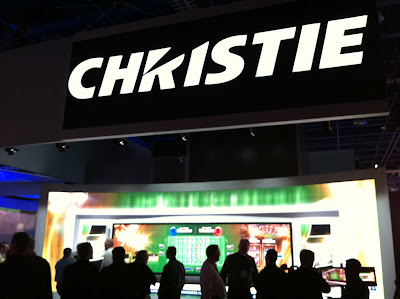
Christie booth nearby

Tuesday, April 17, 2012

Available Now: Consumer Calibration Rentals!

Interested in calibrating your TV? Read all the benefits & industry endorsements? Rent a calibration kit today!

We're excited now to offer full calibration packages to give you everything you need to discover how easy it actually is to make a real difference in the quality of your viewing experience. Our award-winning CalMAN software will walk you through the entire process step-by-step with full instructions and show you real-time information at each step with precise hardware measurements to help you hone in on visual perfection. Trust in our award-winning CalMAN DIY software, owned by thousands of users worldwide, to get the job done right.

Once you've seen a fully calibrated display, you won't want to go back to how things were! 

IT'S EASY: Get the same equipment as a professional – at a price less than enthusiast gear!

Thursday, April 12, 2012

Saving You Time: The VideoEq Pro Story

“Time is money” for everyone, but this truth seems particularly sharpened for the AV integrator/installer. The difference between making money on a job or paying for the ‘fun’ of doing it can be as simple as one thing that just took longer than you planned.

Experienced installers, who would rather make money than lose it, do everything they can to reduce job variables, to bring under control as many unknown elements as possible before they even get in the truck for the drive to the site.

Given the number of things that can go wrong, from HDMI cables that almost but don’t quite carry the signal, to equipment that almost but doesn’t quite hit its spec, you wouldn’t think that so many jobs would make it to the last step, making sure the display delivers an acceptable image, before bogging down and turning from money-making to money-losing. But – maybe because it is the last step – that’s often where it happens.

Maybe the flat panel controls don’t do what they say they’re supposed to do. Trying to white balance, there’s just not enough control on the red. Trying to adjust the color gamut, everything you touch creates some side effect, and trying to fix that side effect makes everything else worse.

More than one installer will still be telling the story weeks later over drinks, not quite able to shake the nightmare: “I was two hours into trying to set the CMS, and I was just digging myself a deeper hole. Finally I hit factory reset and left it the way I found it. Green was way out in left field, but anything I did to try to fix it only made it worse.”

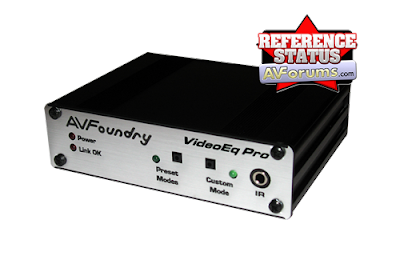
That’s exactly the point at which a more experienced installer might have pulled out a VideoEq. And he would have told a different story later: “I just put a VideoEq in front of each projector, hit the AutoCal button in CalMAN, and I was out of there ten minutes later with a perfect match and dead flat DeltaE charts to print on the report for the client.”

We get more and more letters like a nice one an old friend forwarded from a customer last week; “Watched several movies and concerts over the weekend and I have to say you guys really nailed the color. It's really good now. Please let <name here> know he did a wonderful job. Thanks.”

Know what he did to generate that letter? He put a VideoEq in front of the projector and let the VideoEq solve his problem, quickly and accurately.

The VideoEq not only provides precise control over every aspect of the video, from gamma to gamut, it also ensures that the controls remain independent of each other. Have you seen the demo where the VideoEq changes the color of a lemon in the picture from yellow to purple, without affecting the color of the orange sitting right next to it?

Even better, the VideoEq not only provides the control, independent control, but it also provides interfaces that CalMAN knows by heart. In fact, CalMAN’s AutoCal routines were developed on the VideoEq. Sure, CalMAN’s AutoCal works on dozens of other devices by now, but none have been so thoroughly studied and optimized as the VideoEq’s. With the VideoEq in the chain, getting a spot-on calibration not only becomes possible, it becomes fast.

In fact, we’re starting to hear more and more people say, “Unless it’s something I know by heart, I don’t even try to calibrate it. Pick the closest preset, set Brightness and Contrast, and do the rest in the VideoEq. Takes ten minutes and does a dead-on job. Why burn my time? Let the VideoEq take care of it.”

“The client doesn’t mind the extra line item?”

“These are people who want a quality system. They like knowing I gave them an extra box in the system to make the colors right.”

If you haven’t yet experienced this yourself, you owe it to yourself to call 877-886-5112 today to evaluate the VideoEq.

I’ve you’ve seen what the VideoEq can do, you do always keep one in your toolkit, just for those jobs that threaten to spin out of control and burn up your potential profit at the last minute, don’t you?

And if you’ve experienced how the VideoEq can pull your chestnuts out of the fire – well, why expose your chestnuts to the flames at all? Why didn’t you add a VideoEq to the configuration when you were designing the system in the first place?

Because you like experimenting at the site in front of the client, not knowing how it’s going to come out? Because pushing one button and getting exactly the result you want is just too easy? Because not knowing how long it’s going to end up taking makes it more thrilling?

Click this link to apply for a free VideoEq evaluation. See what it can do for your business. See what it can do for your time!

Wednesday, March 14, 2012

3D TV Display Technology Shoot-Out

Being a trusted source of reliable information is gratifying to us at SpectraCal, and it’s a confidence we do our best to continue to merit.  We spend a great deal of time and invest significant resources here in checking claims and delving into the technical details of current issues in image fidelity. 

Our engineers Darrell and Chris spend much of their time in a research lab with prototype displays before manufacturers release them, investigating the issues they pose to the state of the art of colorimetry. 

The #1 most 'Frequently Asked Question' category for the past year has involved 3D, with questions such as: How do I calibrate a 3D system? What are the 3D-specific setup issues?  How do I test for them?

The Joe Kane 3D test patterns for the AV Foundry Video Forge HDMI digital pattern generator have been invaluable in helping manufacturers as well as system integrators understand and rectify the problems with 3D signals.  Recently we’ve also introduced our own 3D test patterns as well, which are now included with every VideoForge.  

In coming months, you’ll see more articles in this newsletter on issues in 3D setup and calibration. Our investigations have definitely turned up way more problems than solutions, so you’ll see limited, carefully qualified conclusions, hedged around with enumeration of lots of exception cases. But we think you’ll find them all the more valuable for that. Please don’t hesitate to write in with your 3D questions. Let us know what practical problems you’re seeing in the field.  

One asset in making sure we always provide the best and clearest technical briefings to our community is a wide circle of friends. After we run tests in our labs, we always check with everyone else we know in a variety of industries to compare notes on what they are seeing. 

One of the most valued contributors to the industry’s understanding of display technology issues is Dr. Raymond Soneira of DisplayMate Technologies. Among his other great values to the industry – such as an unmatchable resume and impeccable methodological rigor – is a fearless impartiality.  Ray always reports exactly what he finds, no matter whom it might offend.  

So we were both pleased and avidly interested when Dr. Soneira recently published an in-depth comparison of 3D display technologies. We think both you and your customers will benefit from reading this report.

Click here to read the full article. 

Monday, March 12, 2012

SpectraCal Software Supports DataColor Spyder4 With Enhancements!

Software developer SpectraCal, Inc. announced support throughout its video calibration software line for the new Datacolor Spyder4.  CalMAN and CalPC version 4.6, announced by SpectraCal today, will support Spyder4 hardware whether purchased from SpectraCal, Datacolor, or any Datacolor reseller. 

Those who buy from SpectraCal will receive a bonus:  SpectraCal’s version of the meter, dubbed the Spyder4 Enhanced, contain additional calibration matrixes to improve calibration of LED displays, projectors, and other display technologies important to home users.

“We enhance each meter individually in our NIST-traceable calibration lab,” explained SpectraCal Marketing Manager Alex Nguyen.

Nguyen explained that the added precision will only benefit users of SpectraCal software; other users will see no change.

Innovations in the Spyder4 include double-shielded filters.  According to Datacolor, these improvements greatly improve long-term stability and improve meter accuracy, on average, by 26% compared to the Spyder3.  
“We’re very impressed with the repeatability of the Spyder4,” said Darrell Bird, director of the calibration lab at SpectraCal.  “It’s a major improvement,” Bird said.

“Datacolor is excited to see SpectraCal supporting our renowned line of colorimeters with their great software,” said Brian Levey, Datacolor’s Global Vice President of Sales. 

CalMAN is the top selling software for calibrating home theaters and other video displays.  CalPC is SpectraCal’s comprehensive solution for calibrating computer monitors.

To help launch the new bundles, SpectraCal is offering significant discounts during the month of March.  For example, CalMAN with a Spyder4, normally $299, is on sale for $229 in March.

For more information, please go to www.spectracal.com

Thursday, January 19, 2012

SpectraCal Spotlight: David Abrams

The SpectraCal Spotlight is a new monthly column focused on asking questions of AV professionals. Learn about these experts, their business, and perspective on the AV industry. Read what is possible and hopefully gain some useful insight.


January's spotlight is on David Abrams, President of the company Avical. Click to read the full Q&A.

Friday, December 23, 2011

Have You Serviced Your Color Analyzer Recently?

You service your car making sure it runs at peak performance. You service your computer by having the latest virus protection. Do you service your color analyzer? 
 
Colorimeters should be serviced and verified to ensure you are getting the most accurate calibration results. We can do that for you!

Special End-Of-The Year Offer: Meter Verification $50
Two Options To Choose From

Option 1: Assessment Option 2: Trade-In
You should never have to question your meter's performance!
  • Pay $50 to send in your meter to SpectraCal to get assessed.
  • We'll send the meter back to you and let you know if the meter passed the accuracy test.
  • We'll also provide a $50 credit off a new purchase of a meter or CalMAN package $295 and up (good for 3 months).
  • You pay $50, we give you $50. The assessment was free!
Trade-in for an upgrade!
  • Zero fee! (selecting option 2 in the drop-down will make the price $0)
  • Order a meter or CalMAN package priced $295 and up at full price with the Meter Verification service included during checkout.
  • Send your meter to SpectraCal with a copy of the order invoice.
  • We'll process your meter and credit you back $100 on your order! It's that easy!
Eligible Meters
DataColor Spyder3 (all versions), i1Display2 (all versions), DTP-94/Monaco Optix,
Chroma 5, and Color Pro 2,3,4, or 5.
Learn More.png
($100 credit is a limited time offer only through December. Offer Extended to Janurary 31st, 2012)

Wednesday, December 21, 2011

Increase Tax Savings in 2011, Drive New Revenue in 2012!

Are You Taking Advantage Of All Of Your 2011 Tax Breaks Before Year End?

incometax.jpg 

Contact us at 1-877-886-5112 to learn more about adding calibration services to your business, available packages, and how to take advantage of our great leasing options!

Businesses & Professionals: SpectraCal and Southern California Leasing urge you to talk to your accountant or tax specialist on the tax benefits to company purchases before the end of 2011!
Right now the purchase of new equipment for your business could result in up to 100% tax write off, if you purchase between now and the end of the year. SpectraCal and Southern California Leasing have teamed up to bring you some amazing leasing options to take advantage of these tax breaks by offering a great leasing program for qualified SpectraCal customers!

Monday, December 12, 2011

CalPC: Faster, Better, Stronger


SpectraCal is excited to release CalPC v4.42 which brings numerous updates to make PC calibration easier and more powerful than ever before! This includes the updated PC Client allowing each user to register and calibrate up to three PC systems, increased from one machine, essentially tripling its original value. CalPC's hardware support has also been increased to include the i1Display2, X2, Spyder2, Spyder3, OEM i1Display, DTP-94, and ColorMunki for improved PC calibration performance, accuracy, and speed. Additional software enhancements have been made to CalPC for a more streamlined and smoother calibration experience.

NEW SpectraCal PC Calibration Training Webinar ($59) – register to learn through this 60 minute webinar the process and workflow of calibrating your PC displays using SpectraCal's CalPC software. All CalPC purchases (starting at $249) in the third week (Dec 12-18) of December will get the PC calibration webinar included for 75% off. Buy during the fourth week of the month and get 50% off, buy in the fifth week for 25% off. An exclusive code will be emailed with your purchase invoice. Order today to get a biggest discount possible!

Tuesday, November 29, 2011

The 3 C’s of Projector Installs in Education & Military Settings

Commercial Integrator has a great article on why integrators must consider more than resolution, brightness and bulb life when installing projectors in education and military environments. Referencing the three “C’s” of choosing a diamond - cut, clarity and color, CI proposes integrators consider the three “C’s” of installing projectors in educational and military environments.

Control: How a projector is controlled can play a major role in a successful installation. 
Cooling: Considering that heat is the most destructive factor in projector bulb and power supply life, cooling methods should also be considered in installations.
Color: Color accuracy may be the last thing military and education clients are concerned about.

This article reiterates how educating our clients will add value to your business as integrators.

Read the full article here.

Friday, November 11, 2011

CalMAN AutoCal™ Add-on License Now Available!

You asked, we listened! SpectraCal is excited to now offer all CalMAN users the most in calibration efficiency and speed with the release of the new CalMAN AutoCal™ add-on license. CalMAN users (DIY, Enthusiast, Expert) can now do a full grayscale auto-calibration of supported devices and displays including the new Panasonic and Sharp Elite displays. Adjustments that previously required hours can now be accomplished in minutes, with CalMAN control over the display’s ISF Day and Night, grayscale settings, and/or additional settings. You can create stunningly beautiful and accurate images with CalMAN AutoCal – and you don't need a Ph.D. in physics and 12 hours to make it happen.

For the month of November, bring the power of auto-calibration and PC calibration to your CalMAN software. Buy the CalMAN AutoCal™ at the promotional price of $99 and get the CalPC add-on license for free! Let your friends know for every new CalMAN software purchase in November will come also with both the AutoCal and CalPC add-on licenses included!*

To take advantage of the AutoCal Add-on license and the new display support coming, you will need the latest version of CalMAN. We’re happy to make it easier to get current with your license support with these November-only promotional prices:

One Year of CalMAN Maintenance & Support
Not sure if your license support is expired or for how long? Contact +1-206-420-7514 or email customerservice@spectracal.com.


*CalMAN support maintenance renewal does not qualify for the November AutoCal promotion.

Wednesday, November 9, 2011

SpectraCal Announces Direct Calibration Connection for Sharp Elite

Add Sharp Elite to the number of displays that can be directly controlled from leading video calibration software CalMAN. This fall, Sharp brought back an iconic name in television by introducing Elite LED LCD TVs designed for discerning consumers who want the best home entertainment experience. SpectraCal, makers of the award-winning CalMAN, today announced a version of CalMAN that allows direct access to the Sharp Elite’s calibration controls. Before CalMAN, video calibration had been a complicated process of using on-screen menus with a remote control.  And every display has different controls, called by different names, with different sets of effects and side-effects.  With CalMAN, adjusting the display becomes as easy as adjusting the relative height of bars on a chart. CalMAN directly communicates with the display, measures the result of the change, and zeroes in on the desired result. In fact, some calibrations can be accomplished by pushing a single button.  

CalMAN offers three levels of support for the Sharp Elite, starting with direct access to individual display controls, such as brightness and contrast adjustments, on the computer interface – no remote control required.  Second, interactive charts allow the calibrator to set the display output to any desired standards. Finally the “one-button” CalMAN-AC™ automated calibration solution automatically adjusts all settings across multiple measurement points as a single operation. 

Read the full press release here

Monday, November 7, 2011

SpectraCal On Home Theater Geeks 82


CTO Derek Smith talks on Home Theater Geeks #82 about video calibration and the future of home video. Click and listen!

Thursday, October 27, 2011

ISF-IT: Calibration Training for the Most Demanding Color Perfectionists

Color Perfectionists, from enthusiasts to professionals, know that a calibrated and profiled display is a critical element in a successful and efficient creative workflow.  What you see on your monitor (or projector) has to match your digital file or you will never be happy with the result no matter how much time you devote to perfecting it. Are you trained to do this?

The Imaging Science Foundation (ISF) is excited to announce ISF-IT, a two-day course designed to train professional digital content creators with everything they need to know about maintaining image fidelity in computer systems. ISF-IT is all about maintaining image quality from capture to display and preparation for deployment on the web or in printed materials. ISF has been helping video manufacturers, dealers and integrators deliver superior image quality since 1994. Presently, the need exists and can’t be overlooked to address calibration of the devices leading up to the display – the source devices in the digital video food chain. 
You shouldn't guess when it comes to on-screen color accuracy. The color you see on your monitor or projector is the color you should expect from your printer. Once you take the guesswork and frustration out of calibrating and profiling your displays, you'll save time and money while gaining full creative control over your images.

Current systems in the home and in commercial venues are capable of producing some amazing images when the proper techniques are used to make the colors match and please the eye of the creator and viewer. We employ lecture and hands-on labs and will have industry experts on-site.
Lake_Boca.jpg
Come Train In Beautiful Boca Raton, Florida!

First Class
Date: November 21-22
Cost: $995
Seats are limited. Learn more by calling 1-877-886-5112, emailing training@spectracal.com or going online.


Test Your Knowledge – determine if you should attend:
  • What is the difference between calibrating and profiling?
  • Can cameras and scanners be calibrated, profiled or both?
  • What is an out of gamut color? What can you do about it?
  • Can an ICC profile be used with consumer electronic TVs and projectors? If so, when?
  • What is the difference between input, output and display profiles?
  • What are the 4 rendering intents?
  • How do you calibrate your customers system when they are camera buffs? What is Adobe Color Space? sRGB, Rec 709, etc?
  • What are RGB and CMYK and how does each system make colors.
  • What does 0-255 and 16 -235 refer to?
  • Describe the color management workflow you use when your customer has a computer in his home theater.
  • If your customer prints photographs and also views them on his projector or HDTV what steps are necessary to make sure all the colors match?
  • If you service businesses doing tele-conferencing how to you calibrate the video?
  • The ITU just added EOTF to production standards for the first time in history. What is EOTF specified at?

    Monday, October 24, 2011

    Professional Display Calibration for the Most Demanding Color Perfectionists

    Professional Display Calibration for Color Perfectionists

    Color Perfectionists, from enthusiasts to professionals, know that a calibrated and profiled display is a critical element in a successful and efficient creative workflow.  Nobody wants to spend a lot of time at their monitor perfecting images only to find that their display wasn’t accurately showing the file.  What you see on your monitor (or projector) has to match your digital file or you will never be happy with the result no matter how much time you devote to perfecting it. In our world, perfection is not too much to ask for. i1Display Pro delivers.
    Editing.jpg When X-Rite introduced the ground-breaking i1Display Pro in June, SpectraCal was the first independent software vendor to announce support for custom OEM versions of the new colorimeter. We are now excited to announce that SpectraCal has deepened this alliance by expanding CalMAN’s support to include X-Rite’s own retail version of the i1Display Pro!
    i1Display TV.jpg The i1Display Pro combined with the award-winning CalMAN software provides photographers and digital content editors a powerful calibration tool to optimize both their PC monitors and TV displays! The i1Display Pro is the ultimate consumer solution for users who demand speed, options and flexibility to attain color accuracy.
    Color Perfectionists shouldn't guess when it comes to on-screen color accuracy. The color you see on your monitor or projector is the color you should expect from your printer. Once you take the guesswork and frustration out of calibrating and profiling your displays, you'll save time and money while gaining full creative control over your images.


    In the month of October, SpectraCal is selling the X-Rite retail version of the i1Display Pro, bundled with both X-rite’s software and CalMAN DIY Edition, for an introductory price of $379! The CalMAN DIY Edition which supports the retail version of the i1Display Pro is available for download from the SpectraCal web site for $199.  

    This is the most powerful and least expensive entry level package ever offered! If you’ve been waiting for a great performing display calibration package within your budget for your media room or home theater, this is the kit for you! 

    Learn More.jpg For more information on the CalMAN DIY w/ i1Display Pro package, call 1-877-886-5112 or contact sales@spectracal.com.

    Monday, October 17, 2011

    CalMAN Becomes The First Independent Software To Support X-Rite's Retail i1Display Pro Colorimeter

    When X-Rite introduced the ground-breaking i1Display Pro in June, SpectraCal was the first independent software vendor to announce support for custom OEM versions of the new colorimeter. We are now excited to announce that SpectraCal has deepened this alliance by expanding CalMAN’s support to include X-Rite’s own retail version of the i1Display Pro!

    CalMAN Version 4.4 DIY Edition will support any retail version of the i1Display Pro, making it the first independent software in the market to do so. The retail version of the i1 Display Pro had previously not been compatible with any software other than X-Rite’s.

     “The retail i1Display Pro provides the most powerful and least expensive entry level package we’ve ever been able to offer,” says Alex Nguyen, Marketing Manager at SpectraCal. “If you’ve been waiting for a great performing display calibration package within your budget for your media room or home theater, this is the kit for you!”

    “Wherever you buy your i1Display Pro retail version, CalMAN will support it,” says Nguyen, explaining that this can make a huge difference in convenience to users worldwide.

    In the month of October, SpectraCal is selling the X-Rite retail version of the i1Display Pro, bundled with both X-rite’s software and CalMAN DIY Edition, for an introductory price of $379! The DIY Edition of CalMAN which supports the retail version of the i1Display Pro is available for download from the SpectraCal web site for $199.

    Read the full press release here.

     
    For more information on the CalMAN DIY w/ i1Display package, call 1-877-886-5112 or contact quote@spectracal.com.

    Wednesday, October 12, 2011

    SpectraCal and Klein Instruments Announce K-10 Cinema Pro Optimized for Home Theater

    Klein Instruments and SpectraCal announced today the K-10 Cinema Pro. The Cinema Pro is a new version of Klein’s heralded K-10 non-contact colorimeter, optimized for home theater video calibration.

    By removing features unneeded in home theater calibration, Klein was able to create an instrument that is even more accurate than previous K-10s, while costing less

    “The K-10 was designed to serve a wide variety of uses,” says Luhr Jensen, the K-10’s inventor. “By removing features the home theater calibrator doesn’t need, we’ve been able to create a version that is even more accurate at the measurements needed in the home theater, and also reduce the price.”

    Among the features Klein removed in the Cinema Pro are the short focus aiming light option, the external aiming light switch, various calibration files not used in home theater, and Klein’s software utilities.

    “The Cinema Pro edition is optimized for use with CalMAN,” Jensen says, referring to SpectraCal’s video calibration software CalMAN, the software solution used by nearly all professional home theater calibrators. “You don’t need the external switch when CalMAN lets you turn the laser on and off from software.”

    To promote the introduction of the K-10 Cinema Pro, Klein Instruments and SpectraCal have teamed up to offer an unprecedented low price of $4995.  

    Save $1000 off the $5995 MSRP in October! Read the full press release here.

    Thursday, October 6, 2011

    The Chase For Visual Quality - Continued

    The answer for optimized cinematic viewing experiences in any environment is the eeColor Image Processor
     
    The eeColor™ Image Processor from SpectraCal integrates all aspects of media content, display type, and room lighting into creating the best color, contrast and brightness conditions possible to fully optimize modern displays to create a professional cinematic experience.  eeColor™ Technology uses patent pending multi‐dimensional look‐up tables to implement visual perception models and achieve the highest video quality possible in each viewing environment. This is the only color processing system that increases brightness and contrast at the same time it preserves colorfulness and memory colors. eeColor™ Technology uses visual perception modeling to do this in an optimal manner so the viewer sees the best combination of color, brightness and contrast in every scene.

    As mentioned in the previous discussion of Visual Perception Modeling, perceived colorfulness and contrast are a function of brightness and vice versa. With that knowledge, eeColor™ Technology produces the largest total quality gamut volume using 3D color tables. Using visual perception models and preservation of flesh tones and memory colors, eeColor™ Technology improves the overall visual quality of standard color displays in any viewing environment. This improvement comes from actual and perceived colorfulness, contrast and brightness enhancements for each different viewing environment. eeColor™ Technology fundamentally transports the viewer to a far superior viewing environment where flowers and other objects look more colorful. This mapping is not an arbitrary color or contrast enhancement, but one based on the physics of adaptive human vision, in which less bright lighting makes objects look less colorful and higher colorfulness makes objects look brighter and higher contrast. These same priciples have been employed by film makers for years, without the full degrees of freedom offered by eeColor™ Technology and multi‐dimensional digital tables. eeColor™ Technology calibrates displays for accurate white point, grayscale, and gamma with 1D tables and linear matrices and applies environmental perception compensation with 3D color tables, for a dramatic professional cinematic experience. The visual impact of eeColor™ Technology on the quality of digital images is clear.
    Visual perception models are not only adaptive, they are also non‐linear. Commonly used linear light models for video displays employing only 1D gamma tables and linear color matrices are insufficient to correct for the adaptive effects of visual perception. These tools do not have the mathematical degrees of freedom to fully optimize image quality in non-optimal viewing environments. eeColor™ technology integrates all these factors, white point selection and full display color calibration into the solutions for optimal visual quality. It uses visual perception models of flesh tones and other memory colors, the interrelationships of brightness, colorfulness and contrast, and viewing environment to maximize the perceived color quality and preserve key memory colors.

    SpectraCal knows color and is commited to image fidelity. We believe eeColor™ technology and the eeColor™ Image Processor provides an optimal color solution and the best viewing experiences ever available. When you experience eeColor image fidelity, we’re confident you’ll be convinced too.

    Contact +1-877-886-5112 or email prosales@spectracal.com to get the eeColor Image Processor and see the true difference yourself!

    Read part 1 of the Chase for Visual Quality here